All
All





Recently, many buyers have encountered issues while completing DZTASK tasks: screenshots were rejected for non-compliance,
or the target product could not be found using the provided keywords.
This notice is prepared for your reference.
Once seller onboarding is launched, this will become the dominant task type.
Please familiarize yourself with the submission requirements as soon as possible.
High-value product tasks on the platform will also adopt this model going forward.
Below are explanations for the two most frequently reported issues:
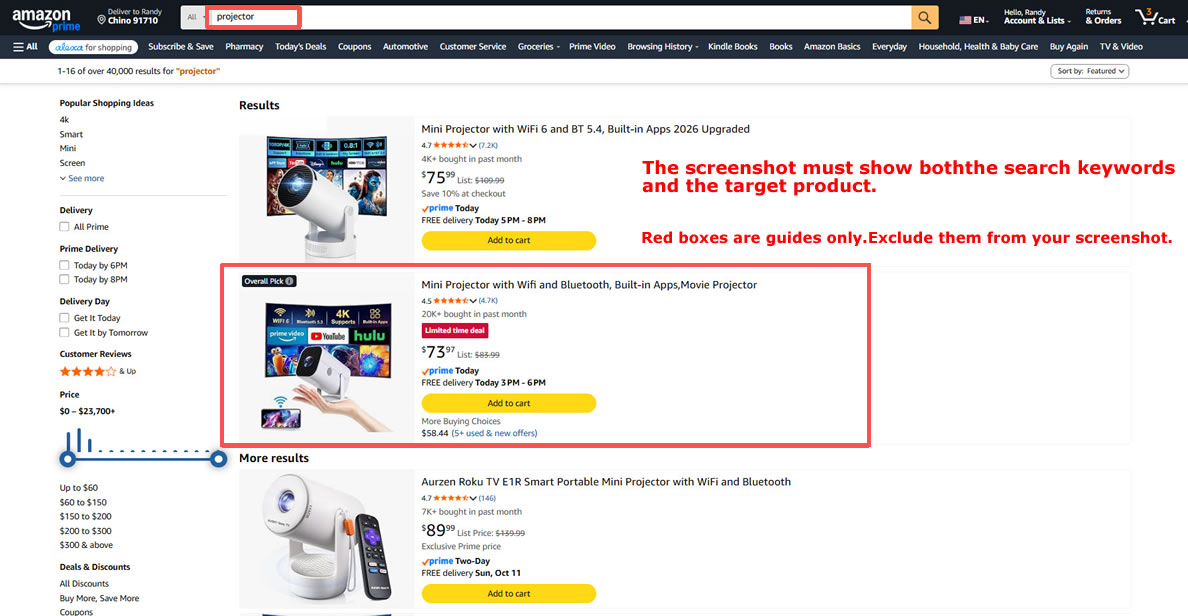
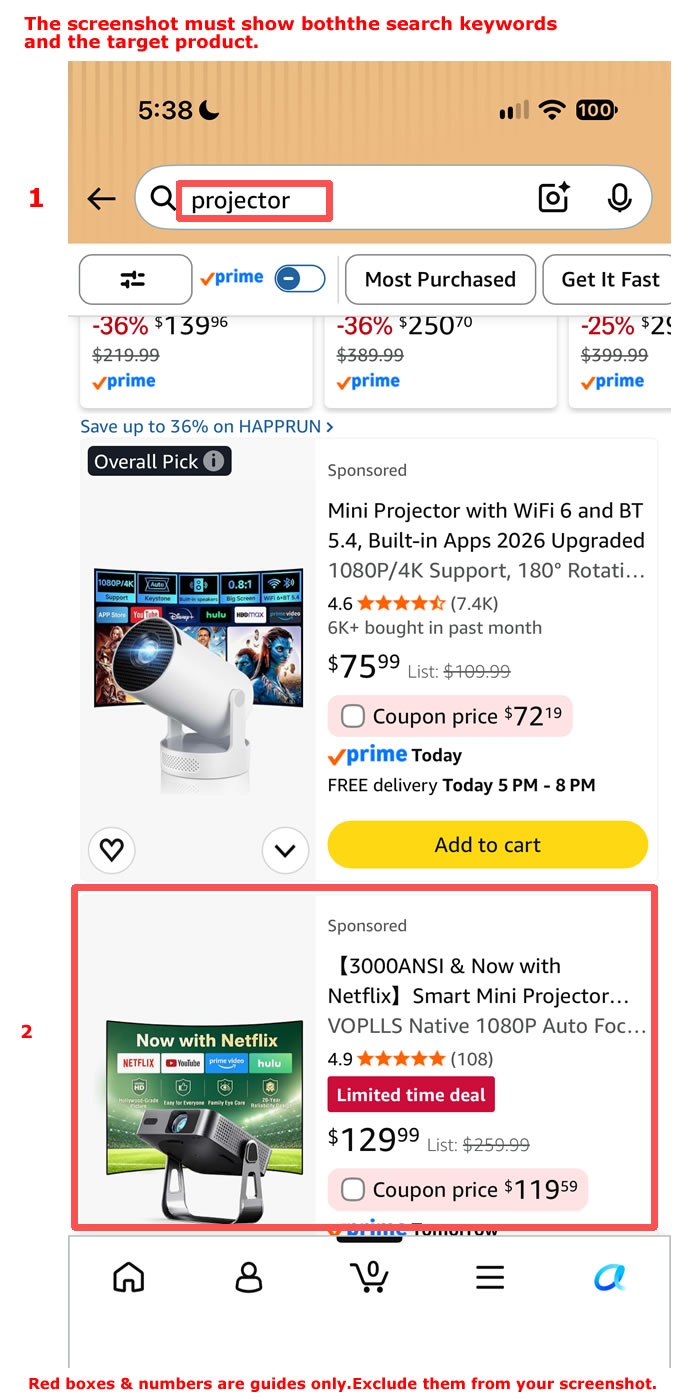
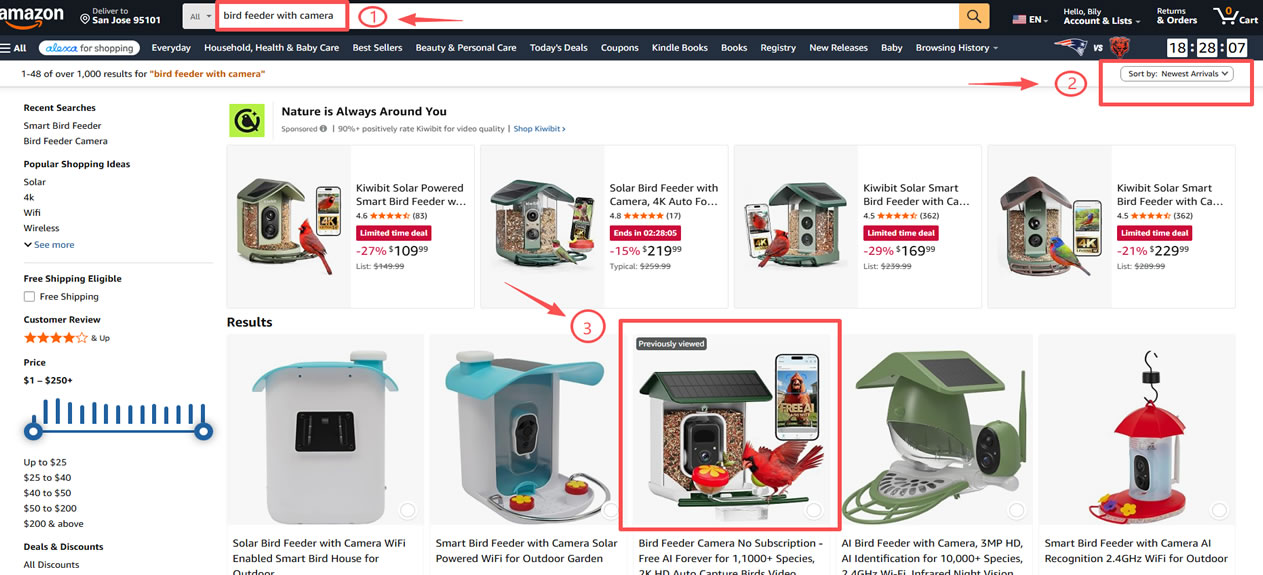
Requirements for Keyword Search Screenshots - PC or mobile screenshot is acceptable, based on your device.
For PC: Refer to the sample image below for your keyword search screenshot.
For Mobile: Refer to the sample image below for your keyword search screenshot.
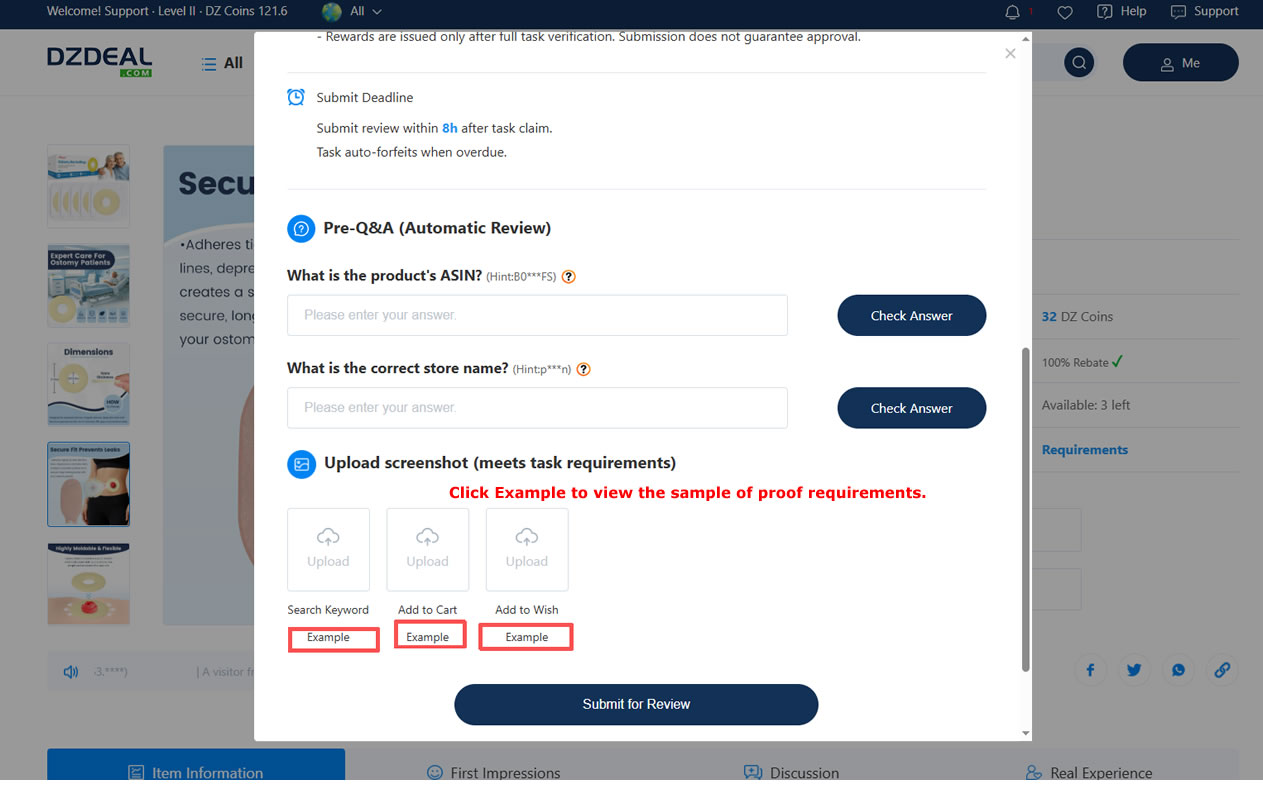
Sample images are available in the upload section when submitting your task. Click EXAMPLE to view them.
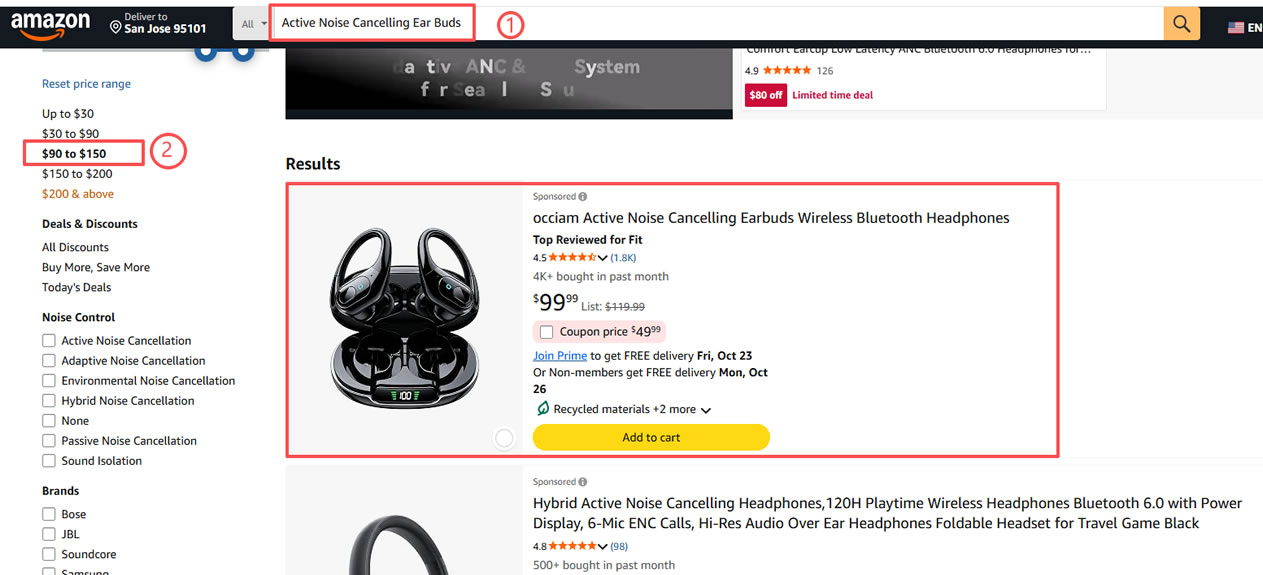
If you cannot locate the product with the given keyword, try these filtering methods:
A. Filter by the corresponding price range
B. Sort results by New Arrivals
DZTASK is designed to replicate a real shopper’s journey: search by keyword → locate the product → add to cart → complete payment.